Or write to support@educaplay.com


Word Search Puzzle: what it is and how to make one
We are committed to continuously improving your experience; some elements of the video interface may not match the current one.
What it is
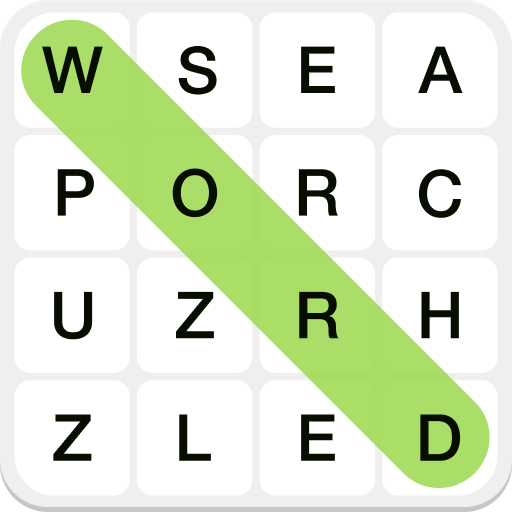
In the Word Search Puzzle, players have to find words hidden in a grid. They can be horizontal, vertical, diagonal or reversed. The player drags from the first to the last letter to mark them.
Each word can have a clue in the form of text, an image and/or audio.
Examples of use
- Languages: vocabulary about clothing, sports or any semantic field.
- Science: parts of a cell, chemical elements…
- History: figures, battles or historic places.
- Language and literature: difficult or uncommon words.
- Primary education: reading and word recognition in a playful way.
- Vocational training: technical or regulatory terminology.
How to create a Word Search Puzzle with Ray
- Click Create game and select Word Search Puzzle.
- Enter a topic, add instructions and/or attach a file with the content.
- Ray automatically generates a game ready to publish (with a title and description). You can review and change anything you like before publishing it.
Ray's advanced options
The gear icon gives you options to configure how Ray generates the game. Some are common to all game types:
- Output content: choose text only, or text plus automatically generated speech. Speech is capped at 1,000 characters in total per account on the Basic and Advanced plans; on the Academic plan and Commercial plan it is unlimited.
- Output language: the language of the game content. If you don't specify it, Ray detects it from the prompt or the file.
- Difficulty: easy, medium (default), hard, or a custom level (for example, “for primary school students”).
The Word Search Puzzle also has a specific option:
- Words: how many to include (8 by default), or as many as the content you attach contains.
Source library
With the Sources button you can upload files to Ray (PDF, Word, images…) or select your own games for it to use as content for the new one. For example, generate a Word Search with organs from the PDF of a teaching unit, or turn a Crossword Puzzle about animals into a Word Search.
How to create a Word Search Puzzle without Ray
- Click Create game and select Word Search Puzzle.
- Close the Ray window.
- Enter the words you want to hide.
- If you want, add images or audio as clues (or instead of the text).
Game options
- Penalize mistakes: limits mistakes and deducts points. By default, mistakes are unlimited and don't deduct points.
- Time: the time limit to complete the Word Search Puzzle (unlimited by default).
- Hide words and multimedia: hides the word bank: the player has to find the words without knowing which ones to look for.
- All directions: allows any orientation. By default, words are placed in the natural reading direction (left to right and top to bottom, or the other way around in languages written right to left) and diagonally to the right.
With an Advanced plan you can remove the ads, add a background image, change the visibility (Public or Hidden), configure player identification (Optional, Required or no method), hide elements of the interface (Ranking, Restart, Social media or Correct answers) and add a custom final message.
With an Academic plan you can restrict the visibility to your guests or to the integrations you create (Google Classroom, Moodle, Canvas…), and remove the player identification link.
With a Commercial plan you can also customize the game with your logo and corporate footer, choose the colors and hide the Educaplay brand.
Information and publishing
On the Information tab you set up what your player will see before and during the game. Ray automatically generates the Title and Description; if you created the game without Ray, you add them yourself. Here you also choose the Language of the game interface (you can present the game to your players in any of the 27 available languages, regardless of the language of the content), set the Education level and add Tags so your game is easier to find in the search engine. Before publishing, use Preview to check that everything looks the way you want.
Frequently asked questions
In which directions can the words appear?
By default, in the natural reading direction and diagonally to the right (or the other way around in languages written right to left). Turn on All directions to allow any orientation.
Can I make a Word Search with images or audio as clues?
Yes. Clues can be accompanied or replaced by images and audio, and you can generate the voice automatically.
Can I import a word list I've already made?
Yes. Paste or attach your list in the Ray box or with the Sources button.
Can I create a game with several Word Search Puzzles?
Yes, with the Add word search puzzle button you can chain as many as you want.
Can I change the language of the game interface?
Yes. On the Information tab you can choose from the 27 available languages: Afrikaans, Aragonese, Asturian, Basque, Catalan, Chinese, Czech, Dutch, English, Estonian, French, Galician, German, Greek, Hindi, Indonesian, Italian, Japanese, Polish, Portuguese, Romanian, Russian, Slovenian, Spanish, Swedish, Turkish, and Ukrainian. The interface language is independent from the content language: you can have a game written in English and show the interface in Japanese for your Japanese students, for example.
Which features require a paid plan?
With the Advanced plan you remove the ads, add a background image, manage visibility and player identification, hide interface elements and add a final message. With the Academic plan you can also restrict access to your guests or to your integrations (Google Classroom, Moodle, Canvas…). With the Commercial plan you customize the game with your logo, corporate colors and hide the Educaplay brand.